

Cover image source: AI-generated conceptual editorial illustration; not a verified OASYS model, facility or test. Technical figures are separately attributed.
A shared seating fleet
Standardize configurations, setup support and service information around the workstations the organization actually uses. Shared seating needs an exception route as well as a repeatable general selection.
| Fleet record | Why it matters | Decision input |
|---|---|---|
| Workstation group | Desk geometry and tasks differ | Approved configuration by application |
| Pilot | Successive users reveal reset questions | Setup steps and assistance needs |
| Exception route | The general selection has limits | Individual assessment and alternative |
| Service register | Versions and parts remain identifiable | Approved assemblies and changes |
- Group workstations by actual tasks and geometry.
- Pilot successive-user setup with the proposed chair versions.
- Keep an accommodation and exception route active.
- Connect ordering, service parts and configuration changes.
Define what the organization wants to standardize
Begin by separating product consistency from user uniformity. The organization may want consistent purchasing terms, appearance, evidence, and service while still offering several configurations. State those objectives explicitly. A policy that requires one chair for everyone can create a different result from a policy that standardizes a small approved range and its support process.
Identify the current problem. It may involve uncontrolled purchasing, difficult parts sourcing, inconsistent instructions, or unclear evidence. Describe the consequence and the decision the new standard must improve. This gives the project a concrete purpose and prevents the team from adding features or controls without a reason.
Define the scope by sites, departments, applications, and purchasing channels. Include remote or satellite locations if they are part of the program. Identify existing assets and whether the standard applies only to new purchases or also to replacement. The decision should be practical for the organization’s transition plan.
Assign a sponsor and an operating owner. Facilities, procurement, occupational health, service, and finance may each contribute, but somebody must maintain the record after launch. A standard loses value when every department assumes another team controls changes. Record responsibilities before supplier selection begins.
Inventory applications and workstation conditions
Map the seating applications rather than count only employees. Identify assigned desks, shared stations, project rooms, reception work, training spaces, and specialized tasks. Record desk construction, equipment, flooring, circulation, and storage where relevant. A corporate range should reflect those settings instead of using one application as a proxy for all others.
CCOHS’s purchasing guidance emphasizes matching furniture with workers and tasks, together with trial and setup considerations (Canadian Centre for Occupational Health and Safety, 2026). Use that principle to organize the inventory. The project team should involve appropriate specialists and users rather than derive requirements entirely from a catalog comparison.
Record constraints that may affect the chair. Under desk structures can restrict arm clearance. Fixed surfaces can create setup questions. Shared spaces can require simple adjustment and accessible instructions. These observations are project information, not proof that a particular feature will improve health or output.
Use the inventory to group similar applications. The resulting groups can guide configurations and trials. Avoid creating a unique specification for every desk unless a meaningful requirement justifies it. The objective is manageable variety with a clear reason for each approved option.
Establish mandatory requirements and preferences
Mandatory requirements should identify what must be satisfied before approval. They may concern application fit, evidence, material care, delivery, or service. Preferences can be compared through weighted evaluation after mandatory conditions are closed. This distinction prevents a favorable price or appearance score from compensating silently for an essential gap.
Write requirements in observable language. Define actual adjustment movements, usable ranges, configuration identity, and required records. Ask qualified personnel to determine measurement conventions and acceptance criteria. A request for a premium ergonomic chair is insufficient because it does not establish what the organization needs or how a proposal will be judged.
Prioritize preferences according to the program’s objectives. Appearance, extra options, packaging, or a particular control style may matter, but the team should understand their tradeoffs. Record the rationale for weights or ranking rules. This improves the credibility of the comparison without pretending that every subjective judgment is a measured fact.
Review requirements with the people who will implement them. Purchasing needs orderable codes, installation needs accurate instructions, and service needs compatible parts. A requirement that cannot be translated into those operations may need clarification. The standard should be usable beyond the selection committee.
Define the approved configuration architecture
- Create a configuration schedule for the general chair and any approved alternatives.
- Limit options deliberately.
- Document compatibility conditions.
Identify seat, back, mechanism, lift, base, casters or glides, arms, headrest, upholstery, and finish as relevant. Use supplier identifiers and revisions where available. A model name can cover several versions, so the schedule must identify what the organization has actually approved.
Each additional material or assembly may create another order code, instruction, stock item, or service question. Decide whether the option serves a meaningful application or customer choice. A small range with clear distinctions can be easier to manage than an extensive assortment whose differences nobody can explain.
If a configuration is approved for one desk group or floor type, record that relationship. Installation and purchasing teams should be able to identify the correct combination. The standard should not imply that every approved chair version is interchangeable in every setting.
Design a representative trial
Prepare a trial protocol tied to the application groups. Include setup, control operation, desk access, task performance, perceived fit, and any special movement or storage needs. Recruit a relevant range of users and identify limitations in representation. Qualified ergonomics or occupational health personnel should adapt the process where appropriate.
Use the actual workstation where practical. If a showroom or temporary environment is used, record the limitation and evaluate compatibility separately. Give participants consistent instructions while also observing initial control discovery if that is a purchasing criterion. Keep observations before and after assistance distinguishable.
Collect specific feedback. Ask which setting was used, what prevented a workable position, and what changed after setup. A satisfaction score can supplement the record, but it should not replace the underlying observations. Do not convert trial preference into an unsupported medical or productivity claim.
Review results alongside technical and commercial evidence. A popular chair may still have an unresolved mandatory condition. A less popular initial sample may improve after appropriate setup or a configuration change. The team should make a documented decision through the full requirement set rather than treat one score as the entire selection.
Build an accommodation and exception route
Standardization should include a practical route for individual needs and applications outside the general range. Define who receives requests, who assesses them, and who authorizes another configuration. The process should be respectful and proportionate. Purchasing does not need sensitive personal information that belongs with the appropriate assessment team.
Record the product requirement resulting from an assessment. It may concern geometry, controls, workstation equipment, or another configuration. The supplier inquiry can focus on those requirements. Keep confidential personal information within the organization’s normal process rather than in a general furniture comparison file.
Distinguish an exception from an unapproved purchase. A justified alternative can be controlled through the same evidence, order, and service framework as the standard chair. The goal is a manageable program that accommodates real needs, not a policy that forces users to improvise changes because no formal route exists.
Review exception patterns over time. Several similar requests may indicate that the general range needs adjustment or another application group. A single request may remain individual. Qualified personnel should interpret the pattern, while procurement uses it to improve the approved range and support process.
Verify evidence by configuration
Prepare an evidence matrix for product performance, materials, organizational certification, packaging, and other requirements. Identify record scope, reviewer, status, and open actions. Keep the categories distinct. A valid quality management certificate should not replace the chair’s product report, and a material sheet should not establish complete assembly performance.
Compare tested samples with approved configurations. Options and substitutions need qualified applicability review. Record differences and the basis for acceptance. The organization should know which evidence supports each orderable version rather than assume one report covers the entire supplier range.
Preserve the approved claim wording. Purchasing documents, internal catalogs, and public information should use the same scope. If a registry or mark is relevant, verify the product specific basis and permitted use through the appropriate source. Avoid broad certified language that combines several records into a larger unsupported promise.
Define review triggers. Configuration changes, new applications, or changed requirements may require additional assessment. Qualified personnel should determine the action. The standard should make the trigger visible without prescribing an arbitrary universal retesting calendar unrelated to the actual product or evidence conditions.
Use 2026 workplace research to ask better pilot questions
Gensler’s Global Workplace Survey 2026 reports continuing gaps in workspace performance and considers the ability to rearrange meeting-room furniture among design factors linked to learning effectiveness. The survey covered 16,459 full-time office workers in 16 countries; responses were collected in 2025. These findings are survey context, not proof that a particular chair improves learning or a basis for a universal desk-sharing ratio.
The procurement inference is to test the shared workplace as people use it. In the pilot, record how the second user finds the controls, achieves a workable setup and leaves the station ready for the next person. Separate control discovery, actual adjustment and assistance time. A single combined stopwatch number can hide an instruction problem. Use the findings to refine the setup guide, configuration architecture or exception process before a fleet-wide commitment.
Normalize commercial proposals
Ask suppliers to quote the same defined configurations and quantity scenarios. Separate unit prices from development, samples, testing, packaging, delivery, assembly, and service arrangements where relevant. A lower visible chair price may not cover the same scope. Normalize differences before making the commercial comparison.
Provide realistic releases and forecasts. A hypothetical annual demand of five hundred chairs may arrive through several site orders rather than one production batch. Ask how purchasing constraints and prices change across those releases. Distinguish expected demand from confirmed commitments and identify assumptions supporting the proposal.
Review delivery and installation responsibilities. The organization should know who receives goods, performs assembly, checks completeness, and supports setup. Remote sites may need another arrangement from headquarters. Include those differences in the cost model rather than assume the same unit price represents the same delivered service.
Use explicit scenarios for uncertain costs. Service events, replacements, and accommodation purchases can be modeled without claiming a known future outcome. State the inputs and show what changes the result. A transparent comparison is more useful than an unsupported statement that standardization guarantees a particular saving.
Connect the standard with ordering systems
Create an internal catalog entry for each approved configuration. Include order code, application, current specification, price basis, lead time assumptions, and support contact. The person placing an order should not have to reconstruct component choices from a long technical report. Link detailed records where needed.
Control who can approve a deviation. A supplier alternative may be commercially sensible, but it should receive the relevant review before entering supply. Define a route for unavailable materials, discontinued parts, or urgent site needs. An informal substitution can undermine the standard if it changes geometry, function, or evidence without assessment.
Keep quantities and destinations clear. Site delivery, carton labels, and installation plans should refer to the same configuration schedule. The purchasing system should help distinguish standard orders from exceptions. This supports receiving and prevents a visually similar version from being accepted under the wrong code.
Review the catalog when prices or products change. Assign an owner and version. An obsolete internal entry can create a mismatch even when the supplier’s current quotation is correct. The standard should remain connected to real commercial supply rather than preserve an option that is no longer available.
Plan installation as part of approval
Installation should confirm the correct version, assembly, and workstation compatibility. Define who performs those checks and what records are needed. If chairs arrive partly assembled, use current manufacturer instructions and appropriate personnel. A purchasing decision is incomplete if the organization cannot deliver the approved setup to users.
Provide configuration specific guidance. Controls, adjustment sequences, and service restrictions should match the supplied chair. Generic posters showing another lever arrangement can confuse users. The organization should make guidance accessible to new employees and people changing stations after the initial launch.
Establish a help route. Users should know how to request setup assistance, report a fault, or seek individual assessment. The response should distinguish those needs without requiring the user to diagnose the chair. A standard program becomes more practical when support responsibilities are clear.
Collect installation feedback. Missing hardware, unclear instructions, or recurring desk interference may reveal a specification or implementation issue. Record patterns and assign actions. Do not assume every question indicates a product defect or every favorable reaction proves the selection works universally.
Standardize service information as well as chairs
Request parts schedules, compatibility records, current instructions, and warranty procedures for every approved version. Identify which work belongs to trained staff. The service team should know how to identify a chair’s configuration and order the correct replacement rather than rely on photographs of similar models.
Plan stock through actual needs and commercial constraints. A hypothetical program might hold a small number of complete spare chairs while ordering parts through the supplier. Another may hold selected assemblies locally. Compare the arrangements using response requirements, storage, lead times, and explicit assumptions. No universal spare percentage is prescribed here.
Discuss discontinuation and change notification. The organization should know how compatible alternatives will be reviewed and communicated. A promise of long term support becomes useful when the order process and version identification are practical. Include these arrangements in the supplier relationship before the first major purchase.
Record service actions that alter configuration. An approved replacement may change appearance or controls and require updated instructions. Preserve compatibility and evidence decisions where relevant. The installed fleet should remain understandable as it ages instead of becoming a set of undocumented component combinations.
Govern changes through a small review process
Assign a change owner and define review responsibilities. A proposed new upholstery, mechanism, base, or supplier should identify the reason, affected configurations, technical implications, cost, and implementation boundary. Qualified reviewers should assess evidence and compatibility. Commercial approval should follow that assessment where required.
Keep the process proportionate. A minor documented administrative update may not need the same review as a structural change. The responsible team should determine the scope based on consequence and uncertainty. The standard should support useful decisions without creating unnecessary bureaucracy around every routine order.
Maintain a change log and current release. Purchasing, installation, service, and content teams should know which version controls. Superseded records should remain retrievable where needed but should not appear as current options. This simple discipline protects the value of the original evaluation.
Review the standard when workstations or use policies change. A move to shared seating or another desk system can alter the conditions under which the chair was approved. Trigger compatibility review rather than assume the previous decision transfers unchanged. The program should adapt through evidence and documented requirements.
Use a hypothetical multi site program
Consider a hypothetical company with headquarters, two regional offices, and a remote work purchasing allowance. Headquarters uses adjustable desks; one regional office uses older fixed desks; remote users have varied spaces. A single configuration may be proposed initially, but the team should evaluate the different workstation conditions.
The resulting standard might contain one general chair, an approved alternative for a defined desk constraint, and an individual assessment route. That architecture can preserve purchasing and service consistency while recognizing application differences. The example is an original planning illustration, not a reported OASYS installation or a universal recommendation.
Commercial comparison should include the delivery and support arrangements for each site. A consolidated factory order and individual remote deliveries can involve different packaging and assembly needs. Record those assumptions in the quotation. The program’s cost should reflect the actual operating plan rather than one headline unit price.
After launch, review recurring questions and service records. Determine whether a concern is local to one workstation group or shared across the fleet. Use qualified assessment for fit issues and technical review for faults. The standard can then improve through a clear feedback process instead of repeated uncoordinated purchases.
Use a configuration register for the fleet
A fleet register can be maintained at the level appropriate to the organization’s needs. Its purpose is to connect purchases with approved versions and service information. Record site, order, configuration code, delivery date, quantity, relevant evidence release, and support route. Individual asset identifiers may be useful in some programs, while another program may use batch records. The organization should choose a method it can maintain reliably.
For a hypothetical delivery of sixty chairs, the record might identify forty chairs for one desk group and twenty for another. If the two groups use different arm assemblies, that distinction should remain visible. A later service request can then refer to the correct configuration instead of assuming every chair in the shipment is identical.
Add changes that affect identification. An approved component replacement or material alternative should be connected to the relevant goods. The register does not need to reproduce every repair note, but it should allow service staff to locate the controlling compatibility record. This preserves the relationship between the original standard and the installed fleet.
Review data quality as part of routine administration. Missing codes or obsolete descriptions can make a good standard difficult to use. Assign responsibility for corrections and keep the current specification accessible. The register is an operating tool rather than a reporting exercise; its value is measured by whether purchasing and service can answer the next practical question accurately.
Establish a short management review
A management review can examine open exceptions, recurring service issues, supplier changes, and planned workstation changes. Use it to decide whether the current range remains suitable and which actions are needed. The review should focus on evidence and decisions, with accountable owners for updates. This proposed governance step helps the standard remain useful after launch without requiring a new selection project for every ordinary purchase.
Maintain a standard people can use
A usable corporate standard connects applications, approved configurations, evidence, orders, installation, service, and exceptions. Its value comes from repeatable decisions and clear responsibility. It should be concise enough for routine use while linking the detailed records needed for consequential questions.
For an OASYS inquiry, provide application groups, workstation conditions, quantities by release, and the organization’s support requirements. Request configuration specific proposals and evidence. Ask how options, changes, service parts, and discontinuation will be managed. Those answers help determine whether the supplier can support the program beyond the opening order.
Review the standard periodically through actual changes and feedback. Keep the current configuration identifiable and preserve an accommodation route. Avoid promising that one approved model will suit every person indefinitely. The program should remain a managed relationship among users, workstations, products, and service.
The final selection record should explain why each version is approved and how it will be supported. That record gives procurement a defensible basis for repeat orders and gives users a practical route to help. Standardization succeeds when it makes the correct decision easier without making justified alternatives impossible.
Measure reset effort in a shared seating pilot
An illustrative operating budget with 100 chair resets per day at 45 seconds each uses 75 minutes of user time per day. Over 220 operating days that is 275 hours.
At an assumed USD 25 per hour, the resource estimate is USD 6,875. This is not a measured productivity loss or a promised saving from another mechanism.
It shows why the project should measure actual reset effort before deciding which adjustment features have commercial value.
Define a standard configuration and an exception process together. Buying many optional versions may increase parts and training complexity, while an overly narrow standard can fail to serve the required users. Price the approved configurations, relevant service assemblies and onboarding support as a program. Track setup questions and repeat issues after implementation so the next purchasing decision uses observed operating evidence.
| Shared seating pilot measure | Why it matters |
|---|---|
| Reset time | Usability of controls across users |
| Desk compatibility | Fit of arms seat and work surface |
| Assistance requests | Need for setup support |
| Approved exceptions | Coverage beyond the standard |
| Service assembly count | Parts and inventory complexity |
Discuss your office chair project with OASYS
Share your target market, application, proposed configuration, quantity and launch requirements with OASYS. A useful inquiry identifies which requirements are approved and which need engineering or commercial input.
Explore workplace applications · Explore furniture resources · Contact OASYS
| Approval field | Record before release |
|---|---|
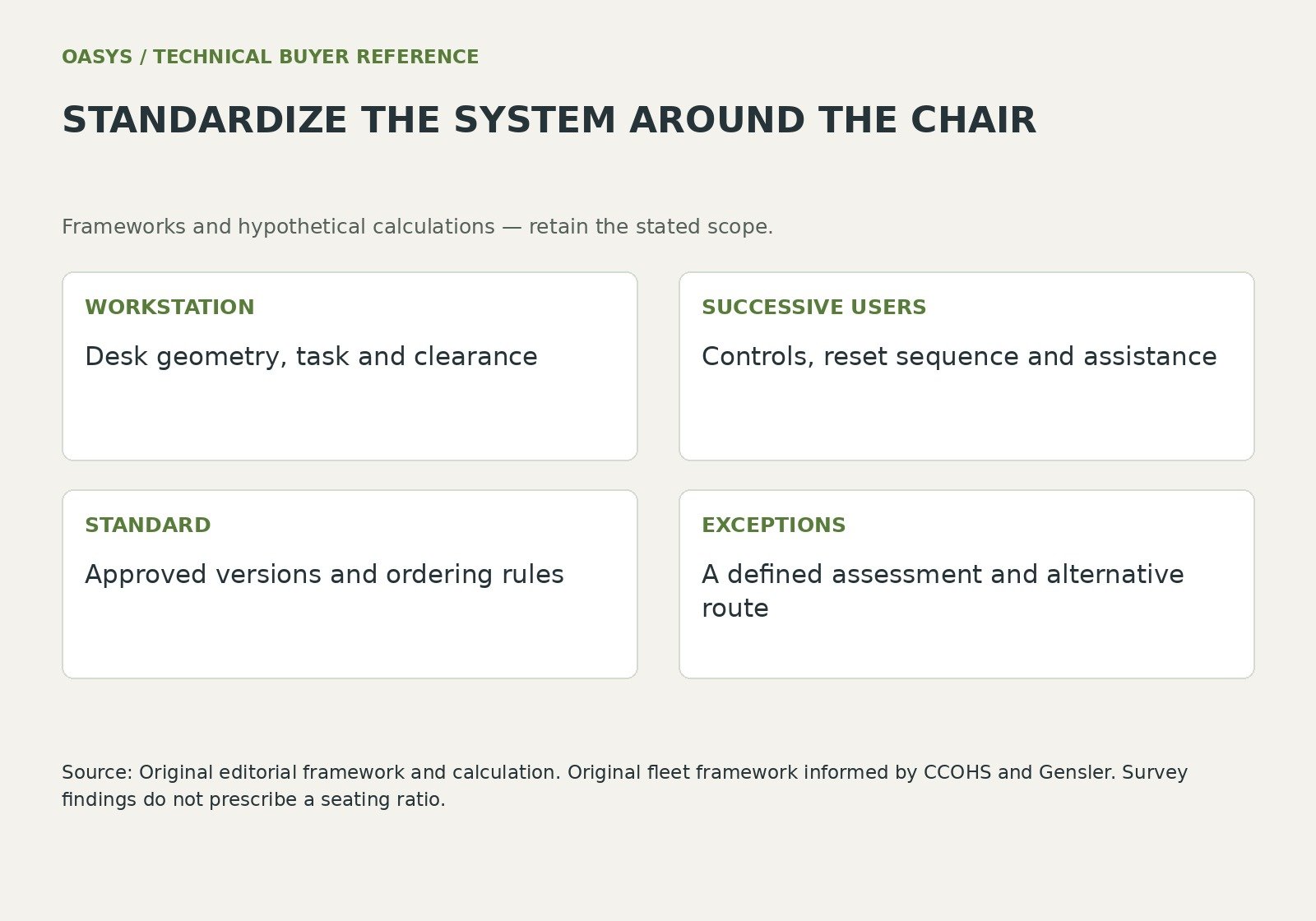
| WORKSTATION | Desk geometry, task and clearance |
| SUCCESSIVE USERS | Controls, reset sequence and assistance |
| STANDARD | Approved versions and ordering rules |
| EXCEPTIONS | A defined assessment and alternative route |
Questions buyers ask
Should a shared office use one chair configuration everywhere?
Group the workstations and evaluate actual geometry, tasks and users. A common general configuration can simplify supply, while approved alternatives and an assessment route address requirements outside that selection.
Does a workplace survey determine a chair-to-desk ratio?
The cited survey provides workplace context across a defined respondent population. It does not specify a furniture ratio for an individual organization. Use local occupancy, work patterns and trial evidence for the fleet decision.
Connect the review with your purchasing brief
Use Office Chair Mechanisms Synchro Tilt Self Weight and Tilt Lock Explained; Office Chair RFQ Checklist for Accurate OEM and ODM Quotations; Mesh vs Fabric vs PU Office Chairs Material Performance and Lifecycle Cost to connect this decision with the configuration and supplier review.
References
Canadian Centre for Occupational Health and Safety (2026, May 5). Office ergonomics: purchase of office furniture. https://www.ccohs.ca/oshanswers/ergonomics/office/purchase.html
Gensler Research Institute (2026). Gensler Global Workplace Survey 2026. Retrieved October 13, 2026, from https://www.gensler.com/gri/global-workplace-survey-2026