
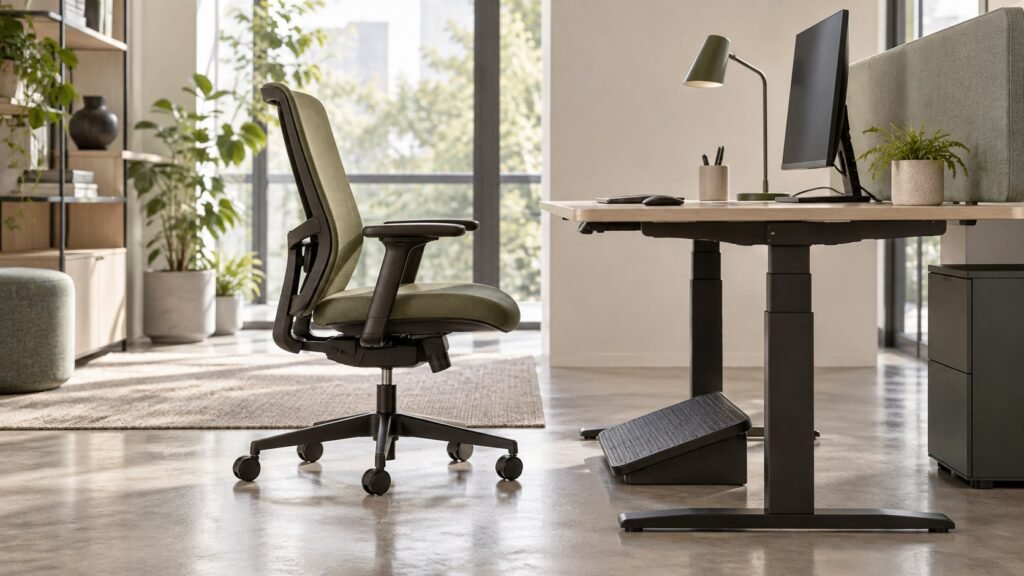
Cover image source: AI-generated conceptual editorial illustration; not a verified OASYS model, facility or test. Technical figures are separately attributed.
Dimensions that fit
Useful chair dimensions identify the measurement condition and the person–desk relationship. Seat height, usable depth, arm clearance and control access belong in one workstation review.
| Measurement | State the condition | Compare at the workstation |
|---|---|---|
| Seat height | Unloaded or a defined occupied trial | Foot support and work surface |
| Usable depth | Reference to back support and slider position | Support without front-edge interference |
| Arm height | Configuration and adjustment position | Desk approach and clearance |
| Occupied envelope | Task and recline condition | Available room and control access |
- Record the chair configuration and measurement references.
- Measure the desk underside, work surface and relevant obstructions.
- Observe usable depth and controls in the intended task.
- Keep individual accommodation decisions separate from a catalog dimension.
Define what is being measured
Before comparing suppliers, agree on the seat measurement convention. Ask where seat height is taken, what chair adjustment position is used, and whether the published value refers to an unloaded condition. Record the relevant configuration because casters, glides, lift options, and seat construction can change the geometry. A model name alone does not fully identify the measurement.
For depth, distinguish the physical seat structure from the space available to the user. A curved front edge or shaped backrest can affect usable depth. Ask for a diagram showing the measurement points and the relationship with any slider. If the supplier reports a depth range, confirm whether the back support remains stationary while the seat moves or whether another geometry changes.
Use one convention during sample evaluation and production inspection. If an alternative convention is required for a particular standard or technical purpose, label it separately. The aim is to make like for like comparisons, not to force all measurements into one method. Clear records allow later reviewers to understand why two published dimensions differ.
Examine the seated working position
A user should be evaluated in the position needed for the task rather than in an isolated showroom pose. Observe desk approach, keyboard and mouse access, document placement, and use of the back support. Ask whether the user changes position to compensate for equipment location. Such movement may reveal a workstation issue that a chair dimension alone cannot resolve.
Record the adjustment sequence. If the evaluator raises the chair to reach the desk, note the effect on foot support. If the evaluator moves forward to reach equipment, note the effect on usable depth and back contact. These relationships provide a more useful fit record than simply stating that the seat is high or deep.
Use observations as a basis for questions, not immediate diagnoses. The procurement team can identify a mismatch and request further evaluation. Persistent discomfort, restricted movement, or a specific medical need should be handled through the organization’s appropriate assessment process. A general purchasing guide should not substitute for that individual review.
Relate seat height to foot support
Seat height determines part of the relationship between the user’s legs and the floor. OSHA’s chair guidance discusses supporting the feet and avoiding pressure from the seat edge (Occupational Safety and Health Administration, n.d.). In procurement, verify that the intended users can reach a workable setting in the proposed chair and workstation arrangement.
Include the actual footwear and floor conditions in the trial where practical. A catalog range does not describe how a particular user sits on a particular cushion. Ask whether feet are supported at the working height and whether the user is moving forward or perching to compensate. Record what happens when the chair is adjusted rather than judging only one setting.
If the desk requires a higher seat position, evaluate appropriate foot support as part of the system. Do not assume that raising the chair resolves the workstation mismatch by itself. The buyer should establish who selects supplementary equipment and who checks the final setup, especially when the same chair will be used at desks with different heights.
Relate seat height to the working surface
- The working surface can determine whether a chair setting is useful.
- CCOHS's adjustment guidance addresses chair setup in relation to the workstation and the possible need for a footrest (Canadian Centre for Occupational Health and Safety, 2014).
- Record desk restrictions in the furniture schedule.
Review keyboard location, mouse location, and the clearance beneath the desk. A chair may reach a favorable leg position while leaving the working surface too high for the task. Conversely, raising the seat may improve task access while creating another support issue.
Use that principle to review the complete arrangement. For an adjustable desk, test the coordinated setup. For a fixed desk, identify the practical options available before purchasing a chair for every workstation.
Drawers, cable trays, or other structures can affect thigh clearance and the ability to approach the work surface. A chair selection process should not overlook these conditions simply because the chair’s height range appears broad. The installation team needs enough information to reproduce the evaluated setup.
Understand usable seat depth
Usable seat depth concerns the space available between the back support and the front seat edge in the relevant sitting position. A published shell dimension may not describe this space accurately. Ask the supplier to show the measurement on the assembled chair. Identify how upholstery contour and the backrest position affect the usable surface.
During evaluation, examine whether the user can use the back support without the front edge creating an unsuitable relationship behind the knees. Also examine whether a shallow setting provides the intended support for the task. Avoid reducing the decision to a rule that a deeper seat is more comfortable or a shorter seat is always safer.
Different users may require different depth settings. An adjustable seat can provide options, but its useful range and operating access still need review. If the chair has a fixed depth, the procurement team should consider the intended population and the exception route. A single nominal dimension should not be presented as a universal fit guarantee.
Evaluate a seat slider in the assembled chair
A seat slider changes the position of the seat relative to other chair components. Ask for the direction of movement, usable range, adjustment steps, and locking behavior. Check whether users can locate and operate the control in the intended setup. Review the supplier’s instructions before introducing the function during a trial.
Measure usable depth at the relevant settings rather than assuming the slider’s travel equals a change in usable depth under every condition. Backrest shape and movement may affect that relationship. Record the settings used by trial participants and any issues with access or unintended movement. A clear record supports configuration comparison and later setup guidance.
Inspect the interaction with other controls. A user should understand which lever changes height and which releases the slider. The purchasing team should also ask how the slider assembly is serviced and identified. Adjustment capability creates value when the buyer can support its operation throughout the chair program.
Consider the front edge and cushion construction
Seat fit is influenced by more than the external dimensions. Review the contour and the way the front edge relates to the user. Evaluate the complete cushion and upholstery assembly, because the same shell can feel different with another construction. Do not infer support behavior solely from the thickness shown in a photograph.
Record the material version used in the trial. If the sample has temporary foam or upholstery, identify the limitation and repeat relevant review on the final construction. Otherwise, the buyer may approve a geometric concept while assuming it has approved the feel of a different production seat. These approvals should remain separate and traceable.
Ask the manufacturer which characteristics are controlled in production. Cushion thickness, contour, and material identity may require defined references. The technical team should determine suitable inspection methods and limits. Procurement’s role is to ensure that the approved seat can be specified and reproduced rather than relying only on a remembered comfort impression.
Put measurement conditions into the supplier response
Ask for the setting, reference surface, method and configuration beside each consequential dimension. This makes a difference between two catalog values investigable. For example, an unloaded height should not be ranked directly against another supplier’s occupied measurement. The measured seat surface may also depend on cushion and cover construction, which should remain identifiable through the approval record.
Desk clearance has several parts. Arm pads may prevent approach while the user’s thighs have adequate space; a drawer or support beam may create another obstruction. Record the actual interference rather than treating all concerns as a seat-height issue. The procurement response should connect the proposed adjustment or alternative configuration with the observed condition. A general dimension range does not replace a representative trial or an individual assessment where required.
Check the backrest relationship
Depth evaluation should include the backrest because the usable seat is defined partly by where the user sits relative to that support. Review whether the back position can be adjusted and how recline changes the relationship. A seat setting that works upright may feel different when the mechanism moves. Document the intended task positions.
Ask users to explain why they move away from the back. The cause may be equipment reach, seat depth, support shape, or preference. The evaluation team should investigate rather than assume a single explanation. If several users report the same behavior, review the configuration and workstation systematically before requesting a design change.
Compare alternatives using the same tasks and instructions. A different backrest may alter the effective depth without changing the seat shell. This is one reason to evaluate the complete chair configuration. A component comparison by itself may not explain what users experience when the seat and back operate together.
Review armrests and under desk clearance
Armrests can affect the user’s ability to approach the workstation. Check their range and the desk’s underside, especially where a low or thick surface creates interference. Record whether the arms can be adjusted to support the task while permitting access. The evaluation should consider actual pad position rather than the supplier’s dimensional label alone.
Review the relationship between arm width and the intended users. A seat may have adequate width while its arm assemblies restrict usable space. A height setting may also alter desk clearance. These interactions should be visible in the fit record so the buyer does not treat height and depth as independent decisions.
If a configuration uses fixed arms, test the arrangement carefully against the relevant desks. If an armless option is considered, evaluate the user’s task and support needs through the appropriate process. The purchasing standard should identify which combinations are approved for which applications and how an exception is requested.
Distinguish assigned and shared seating
An individually assigned chair can be set up around one user’s workstation and preferences. Shared seating must accommodate repeated adjustment by different people. The purchasing implications include control clarity, range, setup time, and the ability to recover a workable setting. A broad range that users struggle to operate may be less useful in a shared environment than it appears on paper.
Test the changeover process. Ask a second user to set up the chair after the first user has finished. Observe how the height and depth controls are found and used. Record whether instructions are necessary and whether the organization can provide them at each station. This scenario examines usability rather than structural performance.
Maintain an exception route in both environments. Shared seating does not eliminate individual requirements, and assigned seating does not guarantee fit indefinitely. Changes in task, workstation, or user needs may justify reassessment. The furniture program should identify who receives these requests and how the response is documented.
Build a fit evaluation record
Create a record with chair configuration, workstation, task, evaluator context, measurement convention, and settings used. Include observations about foot support, desk approach, back contact, control access, and any required supplementary equipment. This original evaluation template is intended to improve purchasing decisions; qualified personnel should adapt it to their assessment responsibilities.
Avoid collecting sensitive personal information that the purchasing process does not need. The record can describe fit requirements and observed issues without including a medical history. If confidential information is necessary for an individual accommodation, manage it through the organization’s appropriate process rather than a general supplier comparison sheet.
Use consistent terminology. Distinguish measured range, user selected setting, preference, and unresolved issue. Those categories help prevent a trial participant’s personal preference from becoming an unsupported universal specification. They also make it easier to compare several chairs and identify whether a problem belongs to the chair, workstation, or evaluation conditions.
Recruit a relevant trial group
A trial group should reflect the intended application and a reasonable range of users. Identify what the group covers and what it does not. A small convenience group may provide useful early feedback, but it should not be presented as proof of population coverage. Procurement should discuss representation and evaluation design with the organization’s appropriate specialists.
Give participants enough instruction to understand the controls, while also observing initial usability where that is a purchasing requirement. Separate those two purposes in the protocol. Record whether feedback was gathered before or after setup assistance. Otherwise, different evaluators may appear to disagree because they used different settings or received different guidance.
Ask focused questions after each task. Which adjustment was used? What prevented a workable position? Did the desk or chair create interference? Was supplementary support required? These questions generate actionable information. An overall satisfaction rating can supplement the record, but it should not replace observations about the actual fit relationship.
Use hypothetical examples to test the specification
Consider a hypothetical fixed desk that is too high for one user’s preferred seated setup. The user raises the chair to reach the working surface, then loses floor support. A purchasing review should examine the desk and appropriate foot support as well as the chair’s range. Simply ordering a taller lift may preserve the mismatch rather than resolve the system.
Now consider a hypothetical user who cannot use the backrest without moving the seat forward excessively. The team should investigate usable depth, back geometry, equipment reach, and adjustment behavior. An adjustable depth option may help, but that conclusion should follow the review. The example demonstrates a decision process rather than a prescribed solution for every similar complaint.
Finally, consider shared workstations with different desk constructions. One chair may fit beneath some desks and encounter arm interference beneath others. The standard should record approved combinations and the changes needed for the remaining stations. A chair specification becomes more reliable when the furniture system is evaluated as a set of compatible configurations.
Translate findings into a buying specification
The specification should state required ranges and functions using the agreed measurement convention. Identify the exact configuration and the evidence supporting its selection. Include any desk compatibility conditions and the planned exception route. A short requirement such as adjustable height should be expanded into the range and operation the project actually needs.
Avoid inventing acceptance tolerances from a single trial. Ask the technical team and manufacturer to propose suitable controls for the required characteristic. The buyer should understand how production will be checked against the approved definition. Measurements used for user fit and measurements used for manufacturing acceptance may require different treatment.
Record what is optional. A different lift, arm assembly, or seat construction may be available, but it should not enter an order without configuration review. The purchasing record should identify the approved version so reorders reproduce the evaluated relationship. If a change is proposed, determine which fit and evidence checks need repeating.
Connect installation with the approved setup
Installation guidance should explain the control sequence and the relationship with the workstation. Use the actual chair instructions and avoid generic illustrations that show different levers. Identify who checks assembly, who assists with setup, and where users find help later. The initial delivery team should know the approved desk and chair combinations.
Provide guidance for shared stations in a visible and accessible form. Users need to understand that settings may need adjustment when they change desks. A concise control guide can support that process, but it should not suggest that one preset works for everyone. Review common questions and refine the guidance after installation.
Include a route for unresolved fit concerns. A user should be able to request help without being told that the chair’s ergonomic label proves suitability. The response may involve setup, workstation review, another configuration, or individual assessment. Clear responsibilities help the organization handle these requests consistently and retain useful feedback.
Maintain geometry through configuration control
Changes to lifts, casters, cushions, or back assemblies can affect the chair’s geometry. Ask the manufacturer to identify relevant changes before supply. Maintain the component schedule and the measurement record for the approved configuration. The buyer should not assume that a familiar model name guarantees an unchanged height or usable depth relationship.
For service replacements, verify compatibility with the installed version. A replacement part that fits mechanically may still change a dimension or movement. Appropriate technical review should determine whether the replacement is suitable. Record the action so later service staff can understand the chair’s configuration rather than relying on its original purchase date alone.
Review the standard when workstations change. A new desk system, shared use policy, or equipment arrangement can alter the conditions under which the chair was selected. The furniture program should trigger a compatibility review instead of assuming the previous fit decision transfers automatically to the new environment.
Keep published dimensions useful to readers
Product content should explain what each dimension means and which configuration it describes. Give readers an adjustment range with a clear diagram and identify relevant options. Where several versions use different lifts or bases, distinguish them. This helps buyers shortlist responsibly and reduces confusion caused by dimensions copied across similar products.
An answer oriented page should address direct questions about height, depth, measurement, and workstation compatibility. The answer can explain the selection process without pretending to determine an individual’s fit remotely. Link to operating instructions and a route for requesting configuration details. Avoid unsupported claims that one range accommodates all adults or every desk.
Make fit a documented purchasing decision
Seat height and depth deserve attention because they connect the user with the rest of the workstation. Their value lies in usable geometry and practical adjustment, not in having the largest published range. A sound decision records the application, measurements, trial conditions, observations, and responsibilities for exceptions.
For an OASYS inquiry, describe the intended desks, user population, and task requirements. Request configuration specific dimensions and a sample evaluation plan. Ask which options alter height, usable depth, or desk clearance. These details give the supplier a clearer basis for proposing a chair and give the buyer a stronger basis for evaluating it.
After selection, preserve the approved configuration and provide setup support. Review unresolved concerns through an appropriate assessment process. Fit remains a relationship among person, product, and workstation; a procurement system should manage that relationship from the first shortlist through installation, service, and future changes.
Record loaded geometry and desk clearance separately
A seat height should identify the reference surface, loading condition, floor plane and adjustment setting. Upholstered seats can change their working height under a person, while the desk and armrest relationship changes with the chair setting. Record the supplied product dimension separately from the result observed in a representative workstation trial. This makes a purchasing specification more useful without pretending that one chair dimension suits every person.
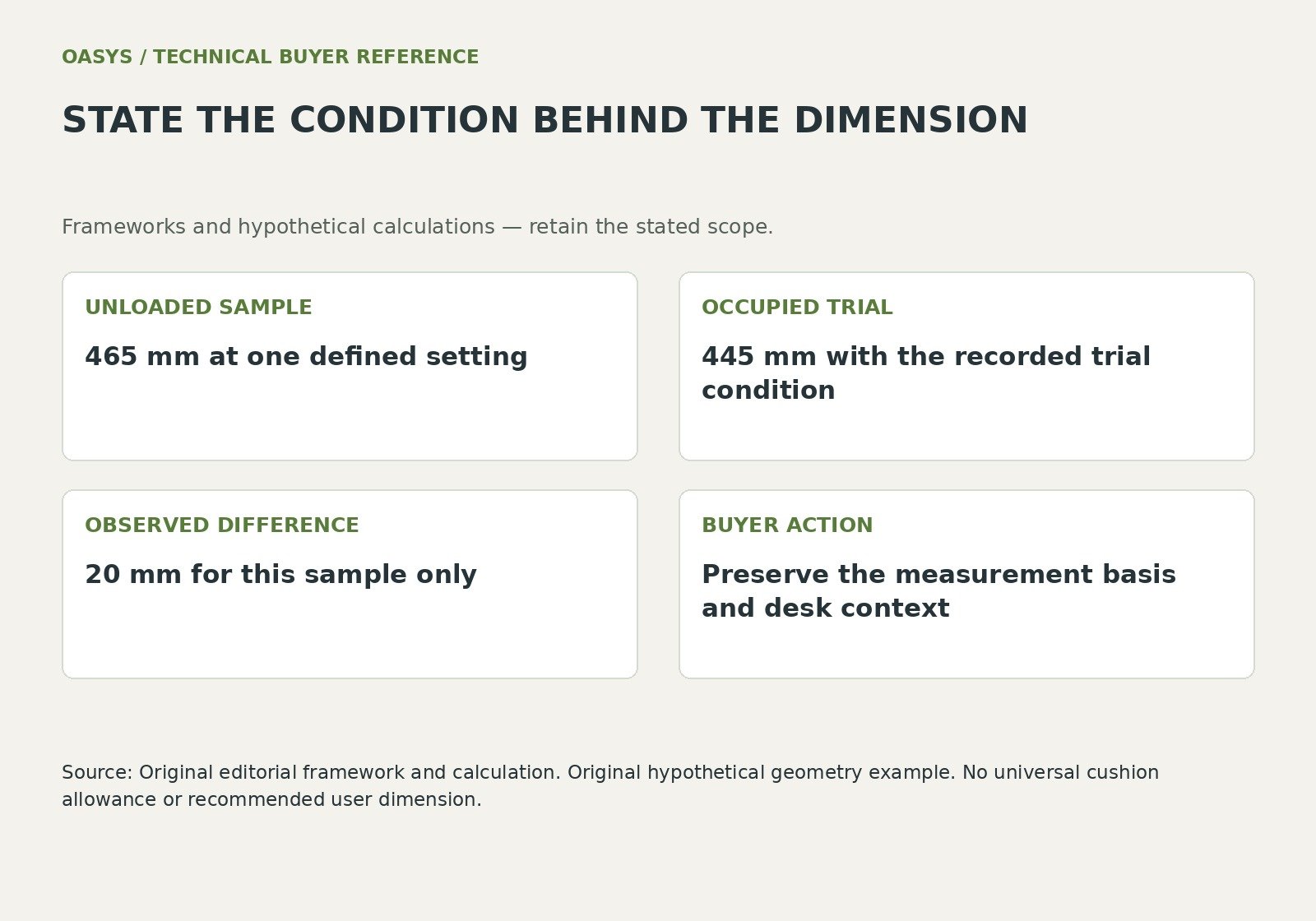
For illustration, a sample seat surface measures 465 mm unloaded at one setting and 445 mm in a defined occupied trial. The observed difference is 20 mm.
It does not establish a universal cushion compression allowance. If a second supplier reports a loaded dimension and the first reports an unloaded dimension, the two catalog numbers do not support a direct fit comparison.
The trial record must also identify cushion, cover and support construction so a later material change can be reviewed.
Keep the desk geometry in the same record. Identify working surface height, underside obstructions, keyboard position and arm clearance. Evaluate the intended task, including approach to the desk and access to controls, before purchasing adjustment options. The commercial question is whether a seat slider, arm option or another chair size solves a recorded requirement; a larger adjustment range has value only when it can be used in that workstation.
| Fit record field | Measurement or observation |
|---|---|
| Seat height | Reference surface and loading condition |
| Seat depth | Usable depth and slider setting |
| Desk clearance | Underside obstruction and approach |
| Arm position | Support range and desk compatibility |
| Trial identity | Complete configuration and user task |
Discuss your office chair project with OASYS
Share your target market, application, proposed configuration, quantity and launch requirements with OASYS. A useful inquiry identifies which requirements are approved and which need engineering or commercial input.
Explore workplace applications · Explore furniture resources · Contact OASYS
| Approval field | Record before release |
|---|---|
| UNLOADED SAMPLE | 465 mm at one defined setting |
| OCCUPIED TRIAL | 445 mm with the recorded trial condition |
| OBSERVED DIFFERENCE | 20 mm for this sample only |
| BUYER ACTION | Preserve the measurement basis and desk context |
Questions buyers ask
Can one seat-depth number establish fit?
Usable depth depends on the reference, back support, slider setting and occupied task position. Evaluate the intended configuration with representative users and the actual workstation. Keep exceptions visible instead of forcing one catalog number to serve everyone.
Should the chair be raised to match any desk?
Review foot support, arm position and the entire working arrangement. Raising the seat may address one relationship while creating another mismatch. CCOHS adjustment guidance supports evaluating the chair and workstation together.
Connect the review with your purchasing brief
Use Office Chair Mechanisms Synchro Tilt Self Weight and Tilt Lock Explained; Office Chair RFQ Checklist for Accurate OEM and ODM Quotations; Mesh vs Fabric vs PU Office Chairs Material Performance and Lifecycle Cost to connect this decision with the configuration and supplier review.
References
Canadian Centre for Occupational Health and Safety (2014, March 10). Office ergonomics: how to adjust office chairs. https://www.ccohs.ca/oshanswers/ergonomics/office/chair_adjusting.html
Occupational Safety and Health Administration (n.d.). Computer workstations: Chairs. https://www.osha.gov/etools/computer-workstations/components/chairs
CCOHS furniture purchasing (n.d.). CCOHS furniture purchasing guidance. Retrieved October 13, 2026, from https://www.ccohs.ca/oshanswers/ergonomics/office/purchase.html